








Power Supply PCBs Guide: How to Test, Troubleshoot, and Repair Effectively
Power supply PCBs are essential components in electronic devices, responsible for converting and regulating power to ensure everything runs smoothly. When these boards fail, it can cause device malfunctions or even complete breakdowns. Testing, troubleshooting, and repairing power supply PCBs are crucial skills, but they come with their own set of challenges. Issues such as heat damage, poor soldering, or aging components are common, and diagnosing them requires specialized tools like oscilloscopes and LCR meters. In this guide, we’ll walk you through the best methods for testing and repairing power supply PCBs, helping you improve device performance and longevity. Whether you're new to electronics or an experienced technician, mastering these techniques will save you time and money while preventing costly mistakes.
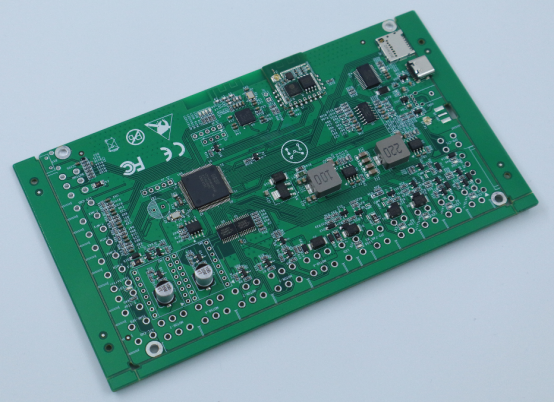
How to Test Power Supply PCBs Effectively
Testing power supply PCBs (Printed Circuit Boards) is a critical step in identifying faults and ensuring their proper functioning. This section provides a structured approach to testing, using both basic and advanced methods to detect common issues.
Visual Inspection: Identifying Obvious Issues
The first step in testing any power supply PCB is visual inspection. Start by looking for obvious signs of damage, such as burnt areas, discoloration, or loose components. Check for physical damage like cracked solder joints, broken traces, or missing components. If you spot burnt marks near components, it might indicate overheating, which could lead to failure. Also, inspect capacitors for bulging or leakage, as these are common failure points. A thorough visual check can often reveal clear signs of a problem, helping you focus on areas that require further testing.
Electrical Measurements with Multimeter & Oscilloscope
Electrical measurements are crucial for understanding the performance of a power supply PCB. Start with a multimeter, which allows you to measure voltages, resistance, and continuity. For example, check if the input voltage to the power supply is within the specified range, and if the output voltage matches the requirements of the device it powers. Next, use an oscilloscope to analyze waveforms at key points on the PCB, such as the output of voltage regulators. Oscilloscopes can help you detect ripple, noise, or spikes in the voltage, which can indicate problems like capacitor failure or faulty regulation.
Component-Specific Testing: Capacitors, Resistors, and ICs
After the initial visual inspection and electrical measurements, focus on specific components that are prone to failure, such as capacitors, resistors, and integrated circuits (ICs). For capacitors, use an ESR meter to measure the Equivalent Series Resistance, which can indicate the health of electrolytic capacitors. Resistors can be tested with a multimeter to verify their resistance matches the specified value. ICs require more detailed testing; use an oscilloscope to check their input and output signals, confirming they process signals as expected. If any component fails the tests, replace it with a new one that matches the original specifications.
Use of Thermal Imaging for Fault Detection
One of the most effective methods for detecting issues that are not visible to the naked eye is thermal imaging. Using a thermal camera, you can detect overheating components on the PCB. When powered on, components that are defective or overloaded will often generate excessive heat. By scanning the board with the thermal camera, you can pinpoint areas where the temperature is abnormally high. This helps identify issues such as faulty transistors, capacitors, or voltage regulators, which might not be obvious through other testing methods. Thermal imaging allows you to focus your efforts on the parts of the PCB that need attention, making the troubleshooting process more efficient.
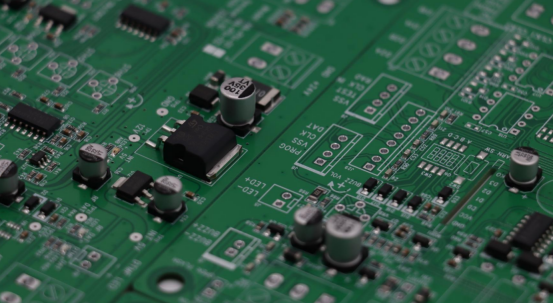
Troubleshooting Power Supply PCB Failures
When a power supply PCB fails, pinpointing the exact cause can be challenging. However, a structured approach to troubleshooting can quickly identify the source of the problem. This section covers the most common failure types, step-by-step troubleshooting techniques, and how to compare a faulty board with a known-good one or schematic for more efficient repairs.
Diagnosing Common Failures: Broken Traces, Faulty Components, and Soldering Issues
Power supply PCBs are susceptible to several common types of failure. The first is broken traces, which occur when a trace (the thin copper path that carries electricity) becomes disconnected, often due to overheating or physical damage. Look for visible gaps or burnt spots along the trace. You can test for a broken trace using a multimeter in continuity mode—if there is no beep, the trace is broken.
Another common issue is faulty components. Capacitors are especially prone to failure. If a capacitor is bulging, leaking, or showing an abnormal resistance, it is likely defective. Resistors can burn out or change resistance over time, affecting the power supply’s stability. ICs (Integrated Circuits) may malfunction due to voltage spikes or overheating. Each component must be checked individually to ensure it is operating correctly.
Soldering issues are another frequent cause of PCB failures. Bad solder joints can result in poor connections, open circuits, or short circuits. These issues may be caused by insufficient solder, excess solder (which can create bridges between pads), or cold solder joints (where the solder didn’t melt properly). Inspect each joint carefully and test continuity with a multimeter.
Step-by-Step Troubleshooting Techniques
The key to efficient troubleshooting is a systematic, step-by-step approach. Start with visual inspection to identify obvious issues such as burnt components or broken traces. Next, perform electrical measurements using a multimeter and oscilloscope to check voltages, resistance, and signal waveforms.
After confirming the electrical health of the power supply, test individual components. Use an ESR meter for capacitors, a multimeter for resistors, and an oscilloscope for ICs. If a component fails its test, replace it with a matching part. For soldering issues, use a magnifying glass or microscope to inspect each solder joint, looking for cracks or bridges. If you find any, reflow or re-solder the joints to ensure a solid connection.
Lastly, if the power supply still doesn’t work as expected, check for short circuits. Measure resistance across key points on the PCB to detect any unexpected low resistance that could indicate a short. If necessary, reheat and test the power supply in small increments, watching for overheating components or excessive current draw.
How to Compare with a Known-Good Board or Schematic
A powerful method for diagnosing problems with a faulty power supply PCB is to compare it with a known-good board or schematic. If you have access to an identical, working power supply PCB, use it as a reference to identify discrepancies.
Begin with a visual comparison. Look for missing components, broken traces, or burnt areas that are not present on the good board. Voltage measurements are also useful; check the voltages at the same points on both boards. Any significant voltage differences can indicate an issue with the faulty board.
You can also use an oscilloscope to compare the waveforms of both boards. If the waveforms on the faulty board differ from the good one, this can reveal problems with voltage regulation or signal integrity.
If you don’t have a working PCB to compare with, use the schematic diagram of the PCB to guide your troubleshooting. The schematic will tell you the expected voltages, current paths, and component values, helping you verify if each part is functioning within its specifications.
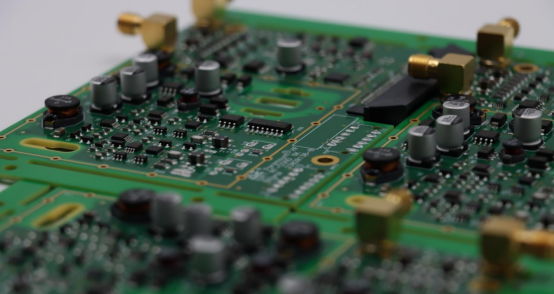
Repairing Power Supply PCB Failures
Repairing power supply PCBs is a crucial skill to ensure the longevity and proper functionality of electronic devices. Whether it's fixing broken traces, replacing faulty components, or addressing soldering and overheating issues, each repair requires specific techniques and tools. Below are detailed repair strategies for common PCB failures.
Repairing Broken Traces and Pads: Techniques and Tools
When a trace is broken on a power supply PCB, the circuit will lose its electrical connection, causing the system to malfunction. The repair process involves restoring the trace to its original function using several techniques. To start, clean the area around the broken trace with isopropyl alcohol to remove dirt and debris. This ensures a good surface for soldering.
Next, prepare the repair by scraping off any protective coating around the broken trace using a small tool, like a fiberglass pen, to expose the copper. Then, you can bridge the gap using a small piece of jumper wire or copper tape. The wire should be soldered securely to both ends of the broken trace to ensure a solid connection. For a more durable repair, use PCB trace repair kits that include copper foil tape and conductive epoxy.
Finally, test the repair with a multimeter in continuity mode to check if the circuit is restored. If the multimeter beeps, the trace is successfully repaired.
Replacing Faulty Components: Capacitors, Resistors, and ICs
Faulty components, especially capacitors, resistors, and ICs, are common causes of power supply PCB failures. When these components stop functioning, it’s essential to replace them to restore the power supply’s performance.
Capacitors often fail due to heat, age, or electrical stress. Signs of failure include bulging, leaking, or a change in capacitance. To replace a faulty capacitor, use a desoldering pump or solder wick to remove the old part, then clean the pads with isopropyl alcohol. Select a replacement capacitor with the same capacitance, voltage rating, and size. Solder the new capacitor into place, ensuring a solid connection.
Resistors can burn out or drift in value due to high current or heat. To replace a resistor, measure the faulty resistor’s resistance with a multimeter to ensure it is indeed faulty. Use a soldering iron to remove the old resistor and install the new one, ensuring it matches the original in value and power rating.
ICs fail from overheating or power surges. To replace an IC, use a hot air rework station or desoldering braid to remove the component. Clean the pads thoroughly and carefully position the new IC, ensuring it matches the original part number and package type. Reflow the solder to ensure a good connection.
Fixing Soldering Issues: Correcting Cold and Bridge Solder Joints
Poor solder joints are a common problem in power supply PCBs and can cause a variety of issues, from intermittent connections to short circuits. Cold solder joints occur when the solder does not melt properly, while solder bridges happen when excess solder creates unintended connections between pads.
To correct cold solder joints, heat the soldering iron to the appropriate temperature, and apply a small amount of solder to the joint. Reflow the solder until it forms a smooth, shiny connection. Ensure that the component lead is well connected to the PCB pad for reliable electrical contact.
For solder bridges, remove excess solder using a solder wick. Place the wick over the bridge, apply heat with the soldering iron, and the solder will be absorbed by the wick. Afterward, inspect the joint to ensure there are no unintended connections between pads. Use a magnifying glass or microscope to inspect for any hidden solder bridges.
Handling PCB Overheating and Short Circuits
Overheating and short circuits are common issues in power supply PCBs that can cause permanent damage if not addressed. Overheating usually results from excessive current draw or inadequate heat dissipation. Thermal management is essential to prevent overheating, so use heat sinks, improve ventilation, or add cooling fans where necessary.
If overheating has already occurred, visually inspect the board for burnt or damaged components. Use a thermal imaging camera to identify hot spots on the PCB. Replace damaged components, and consider adding thermal pads or improving airflow to prevent future overheating.
Short circuits occur when an unintended path allows current to flow directly from the power supply’s positive to negative rails, causing excessive current flow that can damage components. To repair a short circuit, first power down the PCB and check for shorted areas using a multimeter in resistance mode. Look for low resistance between power rails. Once you identify the shorted area, inspect for broken or exposed traces, faulty components, or poor solder joints, and repair them accordingly.
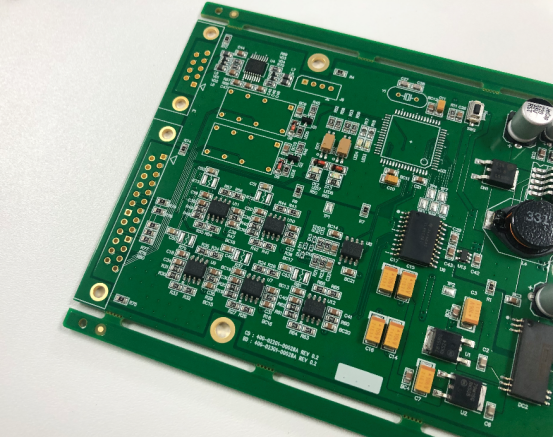
Conclusion
Effectively testing, troubleshooting, and repairing power supply PCBs are essential skills for maintaining reliable electronic systems. By using a systematic approach—starting with visual inspections, followed by electrical measurements and component-specific testing—you can identify and resolve common issues like broken traces, faulty components, and soldering problems. For more complex issues, techniques such as thermal imaging and comparing with known-good boards or schematics can provide valuable insights.
To ensure long-term reliability, always follow best practices such as proper component selection, using adequate heat management strategies, and performing regular maintenance. Simple actions like keeping the PCB clean, preventing overheating, and addressing soldering issues promptly can extend the lifespan of your power supply board.
If you have more questions or want further assistance on PCBs, feel free to reach out to PCBMASTER. As an experienced PCB supplier, we offer expert guidance and solutions tailored to your needs.
FAQs
How to Safely Discharge a Capacitor on a Power Supply PCB?
Discharging a capacitor safely is critical to avoid the risk of electric shock or damaging components. The safest method is to use a high-value resistor (typically between 1kΩ and 10kΩ). First, select a resistor with a power rating that can handle the energy stored in the capacitor. Then, use insulated pliers to hold the resistor's leads. Touch one end of the resistor to one terminal of the capacitor and the other end to the opposite terminal. Hold the resistor in place for a few seconds to allow the capacitor to discharge gradually. This process ensures a safe, controlled release of the capacitor’s stored charge.
What Should I Do if I Cannot Find the Problem with My PCB?
If you're unable to locate the issue with your PCB after following basic testing methods, there are several options to explore. First, compare your faulty PCB with a known-good board if available. Look for differences in voltage readings, signal waveforms, or thermal profiles. This can often point out discrepancies that might be the root cause. Additionally, double-check your testing methods against the schematic, as misinterpreting the circuit design can sometimes lead to missed issues. If you're still stuck, consider advanced troubleshooting methods, such as using an oscilloscope to check specific signals or removing and testing components one by one to isolate the failure.
Can I Test a Power Supply PCB Without Powering It Up?
Yes, you can test a power supply PCB without applying power, which is often a safer and more effective way to spot issues. Start with a visual inspection to look for visible damage like burnt components or broken traces. Use a multimeter to check for short circuits, continuity, or incorrect resistance values. These tests can help identify common problems like shorts, open traces, or faulty resistors. You can also use an LCR meter to check capacitor and inductor values. These non-powered tests ensure that the PCB doesn't have any major faults before you apply power, which reduces the risk of causing further damage.
How Do I Fix Broken Solder Joints on a Power Supply PCB?
Fixing broken solder joints on a PCB is a straightforward process but requires care to avoid further damage. Start by identifying the faulty solder joints through visual inspection or by using a multimeter in continuity mode. Then, heat the soldering iron to the appropriate temperature (350-400°C for lead-based solder). Apply flux to the joint, and heat it until the existing solder melts. If the joint has insufficient solder, add a small amount of fresh solder. For excess solder or solder bridges, use a solder wick to absorb the excess. Once the joint is properly reflowed, allow it to cool and solidify before testing it again for continuity to ensure a secure connection.
Author Bio
Hi, I'm Carol, the Overseas Marketing Manager at PCBMASTER, where I focus on expanding international markets and researching PCB and PCBA solutions. Since 2020, I've been deeply involved in helping our company collaborate with global clients, addressing their technical and production needs in the PCB and PCBA sectors. Over these years, I've gained extensive experience and developed a deeper understanding of industry trends, challenges, and technological innovations.
Outside of work, I'm passionate about writing and enjoy sharing industry insights, market developments, and practical tips through my blog. I hope my posts can help you better understand the PCB and PCBA industries and maybe even offer some valuable takeaways. Of course, if you have any thoughts or questions, feel free to leave a comment below—I'd love to hear from you and discuss further!

